
Home automation and security used to be two separate jobs: an alarm panel by the front door and, if you had one, a smart home app for the lights. Today the alarm, the cameras, the intercom and the smart home can all sit in your phone, and many of them can talk to each other. Done well, that makes a home safer and easier to live in. Done badly, it leaves gaps that nobody notices until something goes wrong.
This guide covers what home automation security actually means, what is worth linking together, what happens when the internet drops out, and the questions to ask before you connect your security system to your smart home in Perth.
What Is Home Automation Security?
Home automation security is a security system that does more than sound a siren. Instead of each device working on its own, the alarm, cameras, intercom, locks and lights share information and react to each other. Arming the alarm can lock a door or turn lights off. A sensor tripping at night can turn lights on. A visitor at the gate can ring your phone wherever you are.
It usually comes down to three layers:
- The security system itself. The alarm panel and its sensors, the cameras and recorder, the intercom and any access control. This is the part that has to work every time.
- The app. Arming and disarming, alerts, live and recorded footage, and answering the door, from your phone.
- The automations. The rules that link devices together, such as “when the alarm is armed, turn this off” or “when this door opens at night, turn that light on”.
What You Can Link Together
Alarm system and app control
A modern burglar alarm system can be armed and disarmed from a smartphone app, and it can send an alert to your phone the moment it goes off. That alone removes the most common worry: did I set the alarm when I left? You can check, and arm it from the car if you forgot.
Some alarm ranges, Ajax among them, have their own automation built in. Relays, smart wall switches and smart sockets on the same system can react when the alarm is armed or disarmed, so turning the alarm on can switch off a heater or a set of lights without a separate smart home hub. Not every alarm range does this, so it is worth asking before you choose one.
Security cameras
Home CCTV lets you check live and recorded footage from your phone, so you can look at the driveway when an alert comes through instead of guessing what set it off. Cameras with motion detection can tell the difference between a moving branch and a person, which keeps the alerts that reach your phone worth opening. See our CCTV installation Perth page for how a home system is planned.
Video intercoms and gates
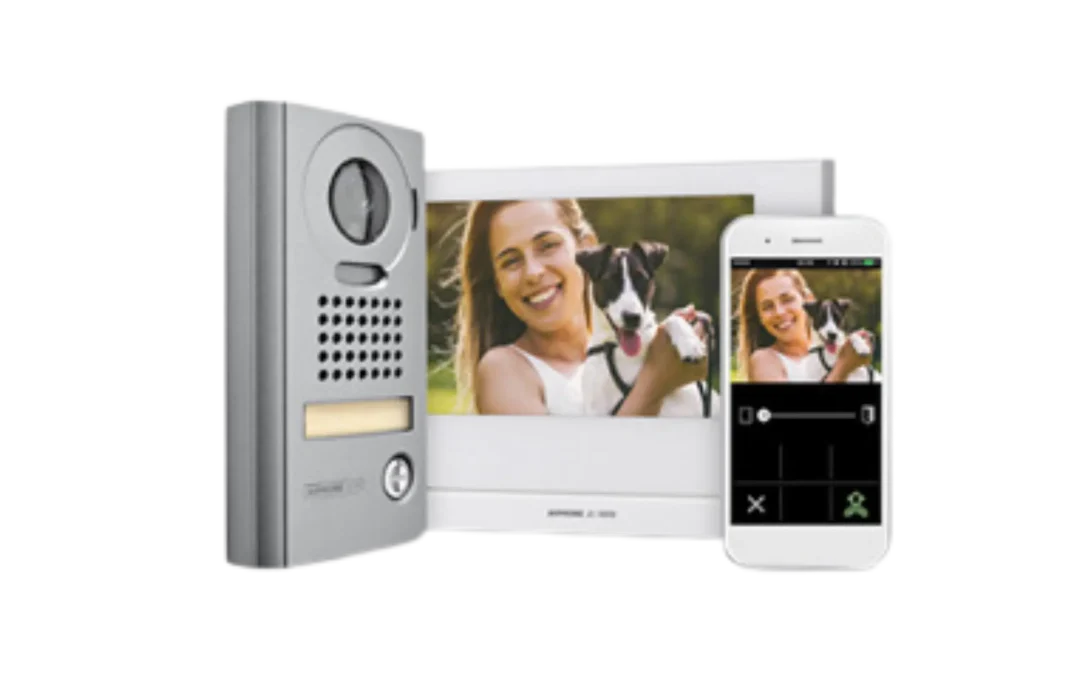
A video intercom linked to a smartphone app rings through to your phone when someone is at the door or gate, so you can see the visitor, speak to them and release the gate or door remotely. It is one of the most used parts of a connected home: talking to a courier while you are at work, or letting a family member in without getting up. More on the options on our intercom systems page.
Locks, doors and access control
Electric locks and access control let doors and gates open from a code, a card or a fob, and keep a record of who came and went. Linked to the alarm, the house can lock itself when it is armed, and a door left open can stop the alarm being set until it is closed.
Lights
Lighting is the simplest automation and one of the most effective. Lights that come on when a sensor picks up movement at night, or that switch on and off on a schedule while you are away, make a house look occupied. Lights turning on when the alarm goes off also help cameras capture a clearer picture.
Water leaks
Security is not only about break-ins. Leak detection alarms under sinks, behind washing machines and near hot water systems can sound a siren, send a notification to an app or report through the rest of your alarm system, depending on how they are set up, so a burst hose is found quickly rather than when you get home.
Monitoring: Who Responds When You Cannot?
A self-monitored system sends every alert to your phone. That works until you are asleep, in a meeting, on a plane or out of signal. With 24/7 security monitoring, every alarm signal also goes to a monitoring station that checks it and acts on it. Rest-A-Sured’s monitoring runs through one of the largest independently owned grade 1 monitoring stations in WA, with signals sent over the mobile network rather than a phone line.
The app and the automations are about convenience. Monitoring is about what happens when nobody picks up. Most homes that care about the first should think about the second.
What Happens When the Internet Drops Out?
This is the question most people forget to ask. Smart home apps, cloud cameras and voice assistants depend on your home internet. If the NBN goes down, or someone cuts the power, here is what to check:
- Does the alarm still work on its own? A properly installed alarm panel detects, sounds the siren and records events without the internet. The app is a remote control, not the brain of the system.
- How does the alarm reach the monitoring station? A monitored alarm that reports over the mobile network keeps reporting when the home internet is down.
- Do the cameras record locally? Cameras that record to a recorder in the house keep recording during an outage, even if you cannot view them remotely until it is back.
- Is there backup power? Alarm panels carry a backup battery. Ask how long it lasts, and whether the recorder and network gear are covered too.
- What do the locks do? Check how a smart or electric lock behaves without power or internet, and how you get in if it does not respond.
A home automation setup should make the security system more useful, never make it depend on something that can fail quietly.
Keeping a Connected Home Secure
Every device on your network is a way in if it is not looked after. A few habits close most of the gaps:
- Change every default password on cameras, recorders and apps, and do not reuse passwords between them.
- Turn on two-step sign-in for security and smart home apps where it is offered.
- Keep firmware on cameras, recorders and hubs up to date.
- Remove app access for people who no longer need it, such as tenants, trades or a former partner.
- Use a separate guest network for visitors.
Good cabling helps too. Cameras and other fixed devices on a cabled network are more reliable than a house full of devices fighting over Wi-Fi. Our data cabling page covers how that is done.
Common Home Automation Security Problems
- Too many apps. An alarm app, a camera app, an intercom app and a smart home app that do not talk to each other. Choosing compatible products at the start avoids most of this.
- Devices that do not speak the same language. Smart home devices use different standards, such as Wi-Fi, Zigbee and Z-Wave, and some need a hub or bridge to work together.
- Alert fatigue. When every passing car sets off a notification, people stop looking. Sensor placement and camera settings matter more than the number of devices.
- Automations nobody remembers setting up. A rule that unlocks a door or turns off a sensor can become a weak point. Keep automations simple and write down what they do.
Questions to Ask Before You Start
- Which parts of my security need to work even if the internet and power go out?
- Can the alarm, cameras and intercom be run from one app, or as few as possible?
- Does the alarm range I am looking at have its own automation, or will I need a separate smart home hub?
- Do I want 24/7 monitoring, or will I be the one responding to every alert?
- Who will service the system and update it as the products change?
Talk to Rest-A-Sured About Your Home
Rest-A-Sured Security is WA owned and operated, based in Wangara, and has been installing security systems across Perth and regional WA since 1998 (security licence 09458). For homes we install and service alarm systems from Paradox, DSC, Honeywell Ademco, Texecom and Ajax, including wireless and smart home systems, home CCTV from Hikvision, Dahua and HiLook, and video intercoms, all with app control and optional 24/7 monitoring. See our home security systems page, or call 08 9309 9500, Monday to Friday, 8am to 4pm, to talk through your home.
Home Automation Security FAQs
Can my alarm system work with my smart home?
Often, yes. Most modern alarms can be armed, disarmed and checked from a smartphone app, and some ranges, such as Ajax, can switch lights and other devices when the alarm is armed or disarmed. Whether it links to a particular smart home platform depends on the alarm and the platform, so check compatibility before you buy.
Is a smart home security system safe from hackers?
It is as safe as the way it is set up. Unique passwords, two-step sign-in, current firmware and removing old app users close most of the risk. A professionally installed system on a properly set up network is much harder to get into than a collection of cheap devices on default settings.
What happens to my security if the internet goes down?
A properly installed alarm keeps detecting and sounding the siren without the internet, and a monitored alarm that reports over the mobile network keeps reporting to the monitoring station. Cameras that record to a recorder in the house keep recording. You lose remote viewing and app control until the internet is back.
Do I still need monitoring if I get alerts on my phone?
Phone alerts only work if you see them and can act. With monitoring, every alarm signal goes to a 24/7 monitoring station that checks it and acts on it, even when you are asleep, at work or away.
Can you add smart features to my existing alarm?
It depends on the age and brand of the panel. An older alarm can often be repaired or upgraded rather than replaced, and we go through the options at the site visit.